
Web Safe Font Tester
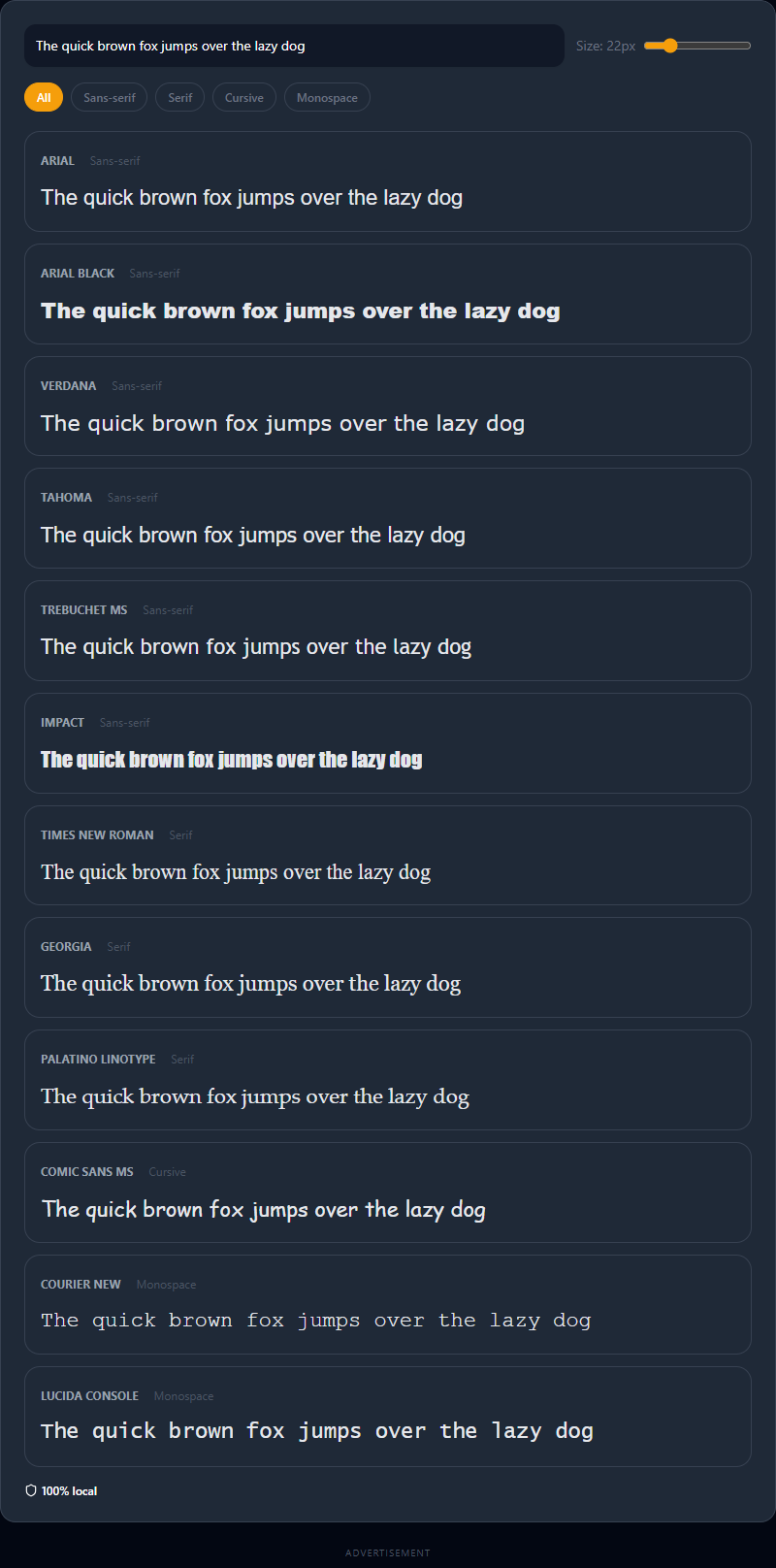
Web Safe Font Tester: Building Resilient CSS Typography
In the era of Google Fonts, Adobe Fonts, and self-hosted WOFF2 files, the concept of a "web-safe font" might seem like an artifact from the early 2000s. Why restrict your design to Arial or Times New Roman when you can inject stunning, custom typography dynamically?
The answer lies in performance, reliability, and resilience.
Custom fonts incur a performance penalty. They require HTTP requests, can cause layout shifts (CLS), and heavily impact your site's time-to-interactive metric. Our Web Safe Font Tester allows developers to craft hyper-performant, system-level typography hierarchies without ever loading a single external megabyte.
What Are Web Safe Fonts?
A web-safe font is a typeface that comes highly pre-installed locally on the vast majority of operating systems worldwide—including Windows, macOS, Linux, Android, and iOS.
When a web browser encounters a CSS rule demanding font-family: Arial;, it doesn't need to ask a server for the Arial font file. It simply asks the user's hard drive. The text renders instantaneously with zero network latency.
The Role of Font Stacks
Because no single font is guaranteed to be installed on 100% of devices (for example, macOS has 'Helvetica', but Windows defaults to 'Arial'), CSS utilizes a "font stack"—a comma-separated list of fallback fonts.
The browser reads the stack from left to right. If it doesn't have the first font, it tries the second, and so on, until it hits the generic operating level fallback at the very end.
A classic, bulletproof Sans-Serif stack:
font-family: Arial, Helvetica, sans-serif;
An elegant Serif stack:
font-family: Georgia, 'Times New Roman', Times, serif;
When Should You Use System/Web-Safe Fonts?
While custom fonts are vital for modern brand identity, web-safe fonts excel in specific, critical scenarios.
1. The "System UI" Trend
In recent years, major applications like GitHub, Medium, and WordPress dashboards have completely abandoned custom fonts. They use a "System UI" font stack instead. This tells the browser to use whatever font the user's operating system uses natively (San Francisco on Mac, Segoe UI on Windows, Roboto on Android).
This strategy guarantees maximum performance and gives the web application a native, deeply integrated feel that users inherently trust.
2. Rapid Fallbacks (Flash of Unstyled Text)
When you load a custom 80kb font for your main body text, what does the user see during the half-second it takes to download on a 3G network?
Depending on your CSS font-display rule, they either see invisible text to prevent jumping (FOIT) or they see a temporary fallback font causing a massive layout shift when the custom font finally loads (FOUT).
By carefully choosing a web-safe fallback font that closely matches the x-height and letter width of your premium custom font, you can dramatically minimize this jarring layout jump.
3. Hyper-Optimized Landing Pages
If you are building an email template (where custom fonts are notoriously unsupported by clients like Outlook) or a hyper-optimized squeeze page where fractions of a second impact conversion rates, stripping out Google Fonts and relying on beautiful, web-safe combinations like Trebuchet MS or Palatino Linotype is a massive competitive advantage.
How to Use Our Visual Tester
Selecting the right system font is difficult when you can't preview them all simultaneously. That is where our tool shines.
- Enter Your Content: Paste real text from your project into the master input box. The placeholder "The quick brown fox" is replaced everywhere instantly across all fonts. Testing real linguistic content (especially titles or UI labels) provides much better context.
- Filter by Category: Looking for a coding font? Click the "Monospace" tag to filter down to Courier New and Lucida Console instantly. Looking for an elegant headline? Filter by "Serif" to compare Georgia and Garamond.
- Compare Side-by-Side: Tweak the master font size slider. Watch how Arial Black and Impact scale differently at large sizes compared to delicate fonts like Palatino.
- Instant CSS Export: Hover over your favorite font and click "Copy CSS". We don't just copy the single font name; we provide the entire optimized, cross-platform font-back stack (e.g., copying 'Trebuchet' outputs
"Trebuchet MS", Helvetica, sans-serif), ensuring your typography renders beautifully on every device on earth.