
YouTube Playlist Info Viewer: Extract Video Counts and Data
YouTube playlists are fantastic for organizing massive tutorial series, curating music, or compiling documentary research. However, scrolling through a 400-video playlist to figure out how large it is, or trying to find the original author's written context, is incredibly tedious on the standard YouTube interface.
Our free YouTube Playlist Info Viewer acts as a data-mining tool, extracting the core metadata of any public playlist and presenting it clearly in one place.
Why Inspect a YouTube Playlist?
When sharing an educational course or binge-watching a gaming let's play, understanding the scope of the playlist is crucial. Our viewer simplifies this process by scraping the playlist's header renderer directly from the source code.
1. Find the Exact Video Count
YouTube often hides the exact video count inside complex UI menus, or truncates it on mobile displays. Whether the playlist has 5 videos or 5,000, our tool parses the internal numVideosText parameter to give you the precise count instantly.
2. Extract Hidden Descriptions
Did you know playlists have their own dedicated SEO descriptions? Creators use these fields to explain the curriculum of a course, link out to resources, or establish context. These fields are frequently ignored or hard to access natively. Our viewer pulls the descriptionText and microformat strings so you can read (and copy) the author's intent.
3. Confirm Playlist Authorship
If you are citing a playlist for research, it's vital to confirm it was curated by an official channel and not an imposter. We clearly extract the ownerText to verify who compiled the video list.
How the Tool Scrapes Playlist Data
Most playlist analytics tools require you to log in or use paid software.
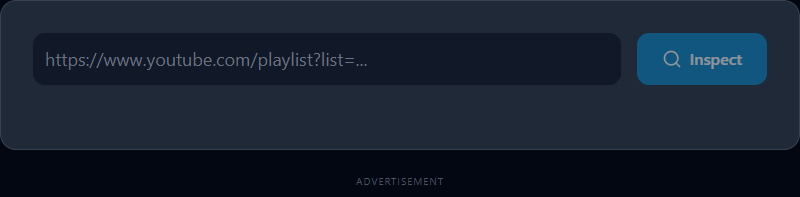
ToolsHubs relies on a completely free, fast, and anonymous proxy network. By supplying our tool with a valid playlist URL (it must contain the ?list= parameter string), our servers fetch the raw HTML output of that page. The tool then parses the complex ytInitialData JSON object embedded in the script tags to accurately retrieve the playlist's metadata without ever making an official API call.
A Note on Privacy
This tool can only inspect playlists that the creator has set to Public or Unlisted. We cannot scrape private playlists, Watch Later queues, or auto-generated "My Mix" playlists, as those require authenticated user sessions.
Take control of massive video lists. Extract playlist metadata with our free tool today!
Related Search Queries
To help users find exactly what they are looking for, this tool is also optimized for searches like: youtube playlist viewer, youtube playlist info.