
GST / VAT Calculator — Add or Extract Tax Instantly Free
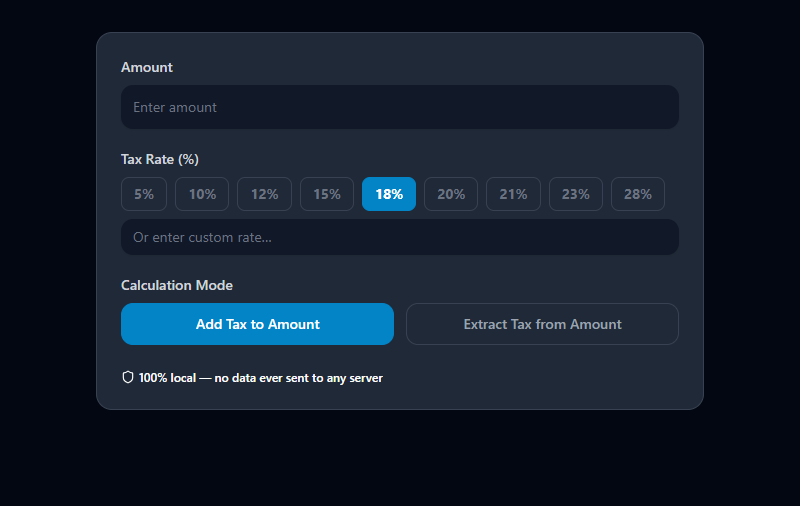
Add Tax to a Price, or Extract It From a Total
Two situations come up constantly in business:
- You know the base price. You need the total including tax. → Add Tax mode
- You know the total (tax-inclusive). You need to separate the base from the tax. → Extract Tax mode
Both are simple arithmetic. The second one trips people up because the instinct to "subtract 18% from the total" gives the wrong answer. This tool handles both correctly.
The Formulas
Adding Tax (Tax-Exclusive):
Tax Amount = Base Price × (Rate ÷ 100)
Total Price = Base Price + Tax Amount
Example — Invoice with 18% GST:
- Base: ₹8,500
- Tax: ₹8,500 × 0.18 = ₹1,530
- Total: ₹10,030
Extracting Tax (Tax-Inclusive):
Base Price = Total ÷ (1 + Rate ÷ 100)
Tax Amount = Total − Base Price
Example — Receipt shows ₹10,030 including 18% GST:
- Base: ₹10,030 ÷ 1.18 = ₹8,500
- Tax: ₹10,030 − ₹8,500 = ₹1,530
The common mistake: Calculating 18% of ₹10,030 gives ₹1,805 — that's 18% of the gross, not the correct tax. The extract formula divides by (1 + rate), giving the true pre-tax base.
Tax Rates Quick Reference
India — GST Slabs:
| Rate | Common Categories |
|---|---|
| 0% | Fresh food, health services, education |
| 5% | Packaged foods, essential items, economy transport |
| 12% | Business travel, processed foods |
| 18% | Most services, electronics, restaurants |
| 28% | Luxury goods, vehicles, tobacco, aerated drinks |
International VAT Rates:
| Country | Standard Rate |
|---|---|
| UK | 20% |
| Germany | 19% |
| France | 20% |
| Australia (GST) | 10% |
| UAE | 5% |
| Singapore (GST) | 9% |
| Malaysia | 8% |
| Canada (GST) | 5% + provincial variations |
For any other jurisdiction, use the custom rate field.
Everyday Business Scenarios
Sending an invoice: You charge ₹25,000 for consulting services. GST at 18% must be added. The tool instantly shows the tax amount (₹4,500) and the invoice total (₹29,500) with the correct line-item breakdown.
Reconciling receipts: Your expense receipt shows ₹4,720 including 18% GST. You need the net amount for accounting. The tool extracts: base ₹4,000, tax ₹720.
Comparing prices: One vendor quotes ex-GST, another quotes inclusive. Normalize both to their base price before comparing — the tool extracts the base from the inclusive price in one step.
Cost pricing for retail: You buy goods at ₹1,200 + 12% GST = ₹1,344 per unit. Knowing the landed GST-inclusive cost helps you price your markup correctly.
Claiming Input Tax Credit (ITC): GST-registered businesses can claim back GST paid on purchases. The exact tax component on each purchase must be isolated. Use extract mode to get the claimable amount from tax-inclusive bills.
GST vs. VAT: What's the Difference?
Despite different names, GST and VAT are functionally identical in how the math works:
- Both are consumption taxes applied as a percentage of the transaction value
- Both are collected at multiple stages in the supply chain
- Both allow registered businesses to claim credit for tax already paid upstream (ITC or VAT credit)
GST is the term used in: India, Australia, Canada, New Zealand, Singapore, Malaysia VAT is the term used in: EU countries, UK, UAE, South Africa, and most of the rest of the world
The calculator works for both — just enter the correct rate for your jurisdiction.
Common Mistakes to Avoid
Using the wrong calculation mode. If the quoted price already includes tax, use Extract mode. If it's the base price and you need to add tax, use Add mode. Applying the wrong mode gives a meaningless result.
Assuming all goods/services have the same rate. Especially in India, different product categories have different GST slabs. A restaurant bill is 5% (non-AC) or 18% (AC or liquor included). Always verify the applicable rate for each transaction type.
Calculating GST on the gross in multi-line invoices. GST is calculated per line item based on each item's rate, then totaled. Don't sum all items and multiply the total by one rate if different rates apply to different items.
Related Finance Tools
- EMI Calculator — Calculate loan repayments
- Salary Tax Calculator — Estimate take-home pay after income tax
- Discount Calculator — Calculate prices after discounts, then apply GST
- ROI Calculator — Calculate business returns including tax costs
- Percentage Calculator — General percentage math for any calculation
Recommended schema: SoftwareApplication + FAQPage + CalculatorApp