
JSON to CSV Converter — Convert JSON Arrays to Spreadsheet Format
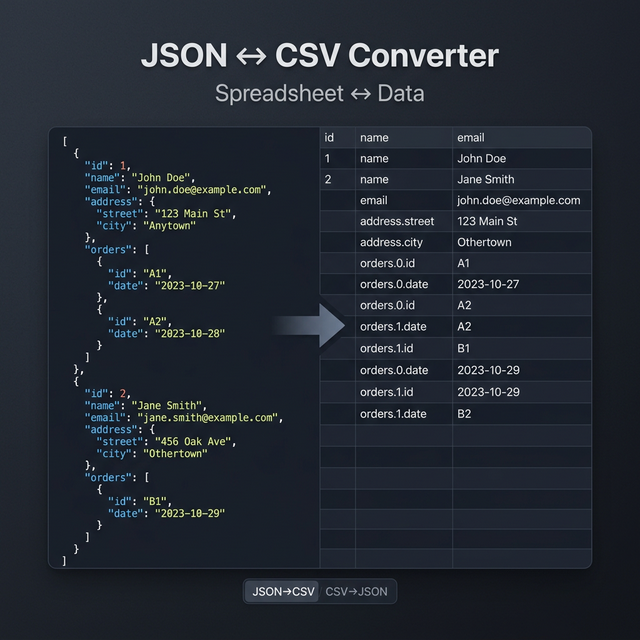
The Problem JSON and CSV Solve Differently
JSON is designed for structured, hierarchical data. It handles nested objects, arrays of arrays, and mixed data types naturally. It's the format of APIs, databases, and interservice communication.
CSV is designed for tabular data — rows and columns, like a spreadsheet. It's the format of Excel, Google Sheets, data pipelines, and business analytics tools. Every data analyst you've ever met works in CSV.
The friction happens when you have data in one format and tools that expect the other. JSON from an API → needs to go into a spreadsheet for stakeholder review. A spreadsheet of customer data → needs to become JSON for an API import. Our converter handles both directions.
JSON to CSV: How It Works
Converting a JSON array to CSV is conceptually simple but has edge cases:
Step 1 — Parse the JSON. The input must be a valid JSON array of objects. Each object becomes one CSV row.
Step 2 — Extract headers. All unique keys from all objects in the array are collected to form the CSV header row.
Step 3 — Handle missing fields. If object A has a phone key but object B doesn't, the phone column in object B's row is left empty (not an error).
Step 4 — Flatten nested objects. This is where it gets complex. A key like address.city from a nested {"address": {"city": "Dhaka"}} structure needs to be flattened into a single column. Our tool uses dot-notation flattening: address.city becomes the header.
Step 5 — Handle arrays within objects. An array value like {"tags": ["react", "next"]} gets serialized as a single cell string: "react,next" (quoted to avoid CSV column confusion).
Step 6 — Quote strings with special characters. Any value containing commas, quotes, or newlines is wrapped in double-quotes per the RFC 4180 CSV standard.
CSV to JSON: How It Works
The reverse process:
- Parse the first row as headers
- Each subsequent row maps to a JSON object using those headers
- Data types are inferred (numbers stay numbers,
true/falsebecome booleans, empty cells becomenull) - The result is a JSON array of objects
Delimiter Options
Standard CSV uses commas (,), but many European locales use semicolons (;) because commas appear in numbers (e.g., 1.234,56). Some tools output tab-delimited TSV format instead.
Our converter lets you specify the delimiter: comma, semicolon, tab, or pipe (|).
Real-World Use Cases
API data → Google Sheets: Export JSON data from an API call into a CSV, then import into Google Sheets for team review and analysis.
Database export → data pipeline: Many ETL (Extract, Transform, Load) pipelines accept CSV as the canonical input format.
E-commerce product imports: Shopify, WooCommerce, and most platforms import products via CSV. Convert your JSON product catalog to CSV for bulk upload.
Analytics dashboards: BI tools like Tableau, Metabase, and Looker accept CSV. Export your JSON analytics data for visualization.
Related Tools
- JSON Validator & Formatter — Validate your JSON before converting
- YAML to JSON Converter — Convert between YAML and JSON formats
- Diff Checker — Compare two CSV files line by line
Recommended schema: SoftwareApplication + FAQPage