
OpenGraph Image Tester — Preview How Links Look on Social Media
What Is OpenGraph and Why It Matters
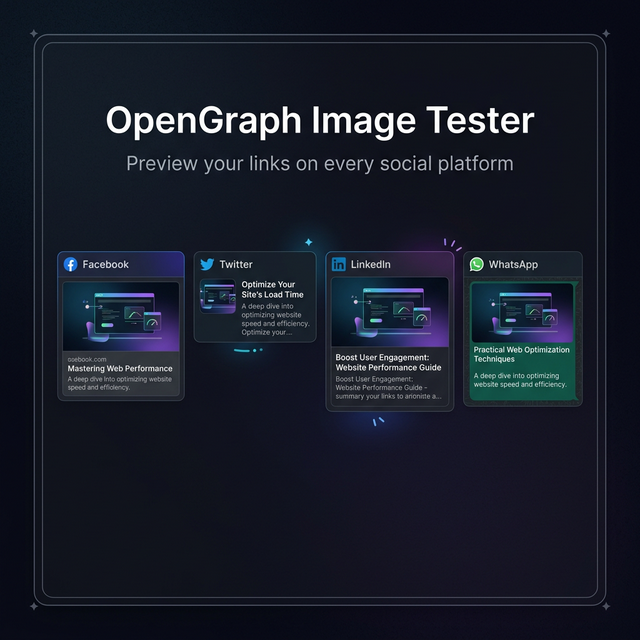
When you share a link on Facebook, Twitter, LinkedIn, Slack, or WhatsApp, those platforms don't just show a URL — they show a rich preview card with an image, title, and description. That preview is driven by OpenGraph meta tags in your page's <head>.
First introduced by Facebook in 2010, OpenGraph (OG) is now the de-facto standard for how websites communicate their identity to social platforms. Getting these tags right is the difference between:
- A rich, compelling link preview that gets clicked ✅
- A blank card with just a URL that gets ignored ❌
The Essential OpenGraph Tags
<!-- The most important OG tags -->
<meta property="og:title" content="Your Page Title Here" />
<meta property="og:description" content="A compelling 155-character description." />
<meta property="og:image" content="https://yoursite.com/og-image.png" />
<meta property="og:url" content="https://yoursite.com/page" />
<meta property="og:type" content="website" />

<!-- Twitter-specific (Twitter Card) -->
<meta name="twitter:card" content="summary_large_image" />
<meta name="twitter:title" content="Your Page Title Here" />
<meta name="twitter:description" content="A compelling description for Twitter." />
<meta name="twitter:image" content="https://yoursite.com/og-image.png" />
Platform Requirements & Best Practices
| Platform | Recommended Image Size | Aspect Ratio | Min Size |
|---|---|---|---|
| 1200 × 630px | 1.91:1 | 600 × 315px | |
| 1200 × 675px | 16:9 (large card) | 300 × 157px | |
| 1200 × 627px | ~1.91:1 | 1200 × 627px | |
| 300 × 200px min | Any | 200 × 200px |
Image format: PNG or JPG. PNG is safer for graphics with text; JPG for photographs.
Image file size: Under 5MB for Facebook's scraper; under 1MB recommended for fast loading.
Title length: Keep under 60–70 characters to avoid truncation on most platforms.
Description length: 155 characters max is the sweet spot across all platforms.
Why Your Preview Might Look Wrong
Cached old data: Every social platform caches OG data aggressively. Even after you update your tags, the old preview may persist for hours. Use each platform's cache-clearing tool (Facebook Debugger, Twitter Card Validator) to force a fresh crawl.
og:image requires an absolute URL. A relative path like /images/og.png won't work — scrapers don't have context. Use https://yourdomain.com/images/og.png.
HTTPS required. Image URLs must be HTTPS on most platforms. An HTTP image URL will cause the preview to fail silently.
Image behind authentication. If your image requires a login or cookie to access, scrapers can't fetch it.
og:image too small. Facebook requires at least 200×200px; anything smaller is ignored.
How to Test Changes Immediately
- Update your HTML meta tags
- Deploy the changes to production (scrapers hit the live URL)
- Use the Facebook Sharing Debugger (business.facebook.com/tools/debug) and click "Scrape Again"
- Use the Twitter Card Validator (cards-dev.twitter.com/validator) for Twitter previews
- Use our tool to see a visual preview of how all tags currently parse
Related Tools
- UTM Builder & Parser — Add UTM tracking to the URLs you're testing
- HTML Minifier — Minify pages before checking meta tags
- JSON Validator — Validate JSON-LD structured data alongside OG tags
Recommended schema: SoftwareApplication + FAQPage