
Merge PDF Files Free — Combine PDFs Online, No Upload
One File Is Easier Than Ten
Every professional has been there — a job application that needs a resume, cover letter, certifications, and portfolio samples, each as a separate PDF. Or a tax submission spread across six statements from different banks. Sending ten attachments looks disorganized. Asking someone to open ten files to read one document is asking too much.
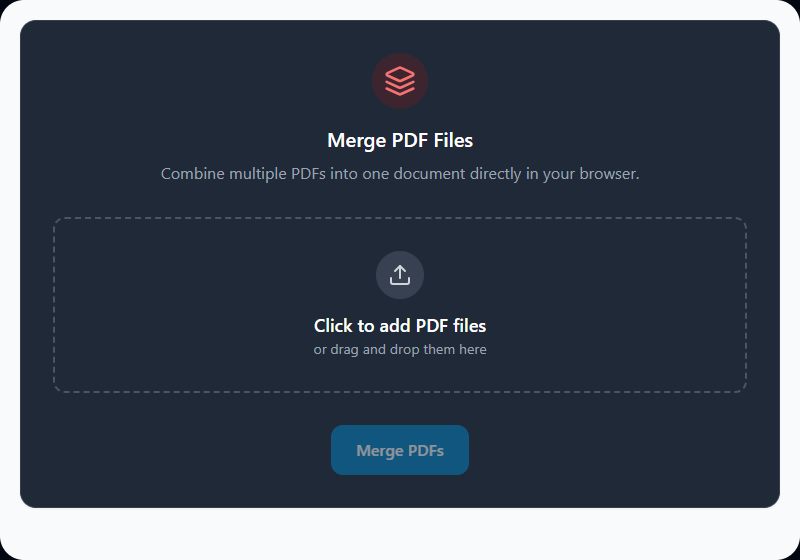
Merging combines everything into a single, sequentially organized file that shares as one and reads as one. Our tool handles this entirely inside your browser — your documents never leave your device.
How PDF Merging Works
PDF files aren't like Word documents — they're structured containers holding pages as individual objects, each with its own fonts, images, and rendering instructions. Merging two PDFs means taking those object trees, resolving any naming conflicts between them (two files might both reference a font internally named "Font1"), and writing a unified cross-reference table so every page in the merged file is addressed correctly.
The tool uses pdf-lib, a JavaScript library that handles this structural work locally. The result is a single well-formed PDF where each source document's pages appear in the order you specified — not a visual copy, but a properly merged PDF structure.
Drag to Reorder Before You Merge
Upload order isn't final. Once your files appear in the queue, drag them into the correct sequence before hitting Merge. This matters especially when:
- You're compiling a report where sections were written separately and delivered out of order
- You're combining documents where the cover page needs to lead but was the last file you received
- Multiple contributors sent chapters independently
Reordering takes two seconds and saves the frustration of realizing the sequence is wrong halfway through a court submission or client presentation.
Real-World Scenarios
Legal professionals bundle exhibits, statements, and filings into a single case document for court submissions. Individually numbered files become one organized package with sequential page numbering.
HR teams consolidate employee onboarding paperwork — identity documents, signed contracts, bank forms — into a single personnel record rather than filing five separate attachments per person.
Students combine separately written thesis chapters, a bibliography PDF, and appendices into one final submission document. This is cleaner than compressed ZIP files and opens directly in any PDF reader.
Accountants merge monthly bank statements and expense reports into a single quarterly review PDF for client presentations or audit preparation.
Freelancers assemble project deliverables — design files, specs, contracts, and invoices — into one organized document per client engagement.
Best Practices
Name your files in order before uploading. Something like 01_cover.pdf, 02_intro.pdf, 03_data.pdf means your initial upload queue is already in the right sequence. Saves time reordering.
Watch for mixed page sizes. Merging an A4 portrait document with an A3 landscape drawing is valid — PDF readers handle varying page sizes fine. But if the merged document goes directly to a printer, expect some pages to be scaled or cropped depending on the printer settings.
Compress before or after as needed. Forty brochure pages merged together will be large. Run the combined file through our PDF Compressor to bring it to a shareable size.
Flatten interactive forms first. If you're merging multiple fillable PDFs (tax forms, intake forms), fields from different files sometimes share the same internal ID. When that happens, filling one field mirrors its value across the same-named field on every page. Flattening removes interactivity and prevents this.
Limitations
Password-protected PDFs cannot be merged until unlocked. Encryption scrambles a PDF's internal structure so the parser can't read the page objects. Remove the password first using Remove PDF Password, then add it back after merging with Protect PDF if needed.
Browser RAM determines your limit. The tool processes everything in memory. Most modern computers handle 50–100MB of total source PDFs without issue. For very large archives (several hundred MB combined), a desktop application like pdftk or Adobe Acrobat may be more appropriate.
Page numbering is visual only. The merged PDF doesn't automatically add page numbers — it combines the pages as-is. If you need page numbers, add them using the PDF Page Number Adder after merging.
Related PDF Tools
- Split PDF — Extract specific pages before merging
- PDF Compressor — Reduce the size of your merged document
- Remove PDF Password — Unlock protected PDFs before merging
- Protect PDF — Add password protection to your merged document
- PDF Page Reorder — Reorganize pages within the merged file
- PDF Page Number Adder — Add sequential page numbers after merging
Recommended schema: SoftwareApplication + FAQPage + HowTo