
Percentage Calculator — Solve Any Percentage Problem Instantly
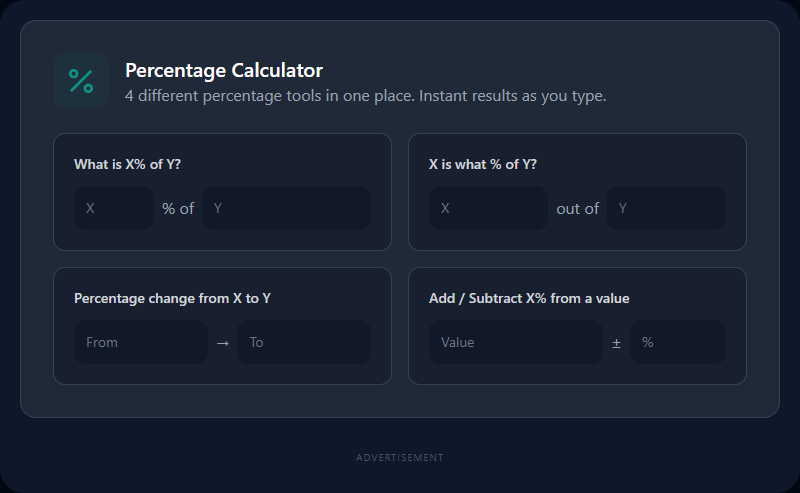
Four Percentage Problems, One Calculator
Percentages appear in almost every area of life — tax invoices, exam results, salary increases, investment returns, discounts, and data analysis. But there's more than one way to ask a percentage question:
- "What is 15% of ₹3,500?" → Basic percentage
- "₹840 is what percent of ₹3,500?" → Reverse percentage
- "Revenue went from ₹12 lakh to ₹16.8 lakh — what's the growth rate?" → Percentage change
- "₹8,500 plus 18% GST — what's the total?" → Add/subtract percentage
Each is a different formula. This calculator handles all four simultaneously as you type — no Calculate button needed.
The Four Problems and Their Formulas
1. What is X% of Y?
Result = (X ÷ 100) × Y
Example: 15% of ₹3,500 = (15 ÷ 100) × 3,500 = ₹525
Use cases: Commission on a sale, tip amount, tax on a value, discount amount
2. X is what percent of Y?
Percentage = (X ÷ Y) × 100
Example: 67 out of 80 = (67 ÷ 80) × 100 = 83.75%
Use cases: Exam scores, market share, completion percentage, error rate
3. Percentage Change (increase or decrease)
Change = ((New Value − Old Value) ÷ Old Value) × 100
Example: ₹12 lakh to ₹16.8 lakh = ((16.8 − 12) ÷ 12) × 100 = +40% Example: 100 employees to 72 employees = ((72 − 100) ÷ 100) × 100 = −28%
Use cases: Business growth metrics, year-over-year comparisons, weight loss tracking, price changes
4. Add or Subtract a Percentage from a Value
Add:      Result = Value × (1 + P ÷ 100)
Subtract: Result = Value × (1 − P ÷ 100)
Add example: ₹8,500 + 18% GST = ₹8,500 × 1.18 = ₹10,030 Subtract example: ₹3,200 − 25% discount = ₹3,200 × 0.75 = ₹2,400
Use cases: Tax-inclusive pricing, discount pricing, salary after deduction
Common Mistake: The Percentage Trap
A 20% increase followed by a 20% decrease doesn't return you to the original value:
- Start: 100
- +20%: 100 × 1.20 = 120
- −20%: 120 × 0.80 = 96
You've lost 4% overall, even though the percentage rises and falls were identical. This catches people off guard in investment return discussions and is worth checking with a calculator before presenting numbers.
Percentage Point vs. Percentage Change (a Common Confusion)
If a tax rate rises from 5% to 6%, two descriptions are both technically valid but describe different things:
- 1 percentage point increase — the rate went up by one unit
- 20% increase in the rate — the rate increased by 20% of its previous value (1 ÷ 5 = 0.20)
News articles and financial reports often use these interchangeably, which creates confusion. When precision matters (financial reporting, research), always specify which measure you mean.
Practical Applications
Retail: "Original price ₹2,400, discount 35%, what's the final price?" → 2,400 × 0.65 = ₹1,560
Finance: "I invested ₹50,000 and got back ₹61,500 — what's my return?" → (61,500 − 50,000) ÷ 50,000 × 100 = 23%
HR/Payroll: "Salary increase from ₹45,000 to ₹52,200 — what percentage?" → (52,200 − 45,000) ÷ 45,000 × 100 = 16%
Students: "I scored 54 out of 65. What percentage?" → (54 ÷ 65) × 100 = 83.08%
Health: "Starting weight 90kg, now 82kg. Percentage lost?" → (90 − 82) ÷ 90 × 100 = 8.9%
Related Finance Tools
- GST/VAT Calculator — Add or extract tax specifically, with jurisdiction rates
- Discount Calculator — Specialized discount and savings calculation
- ROI Calculator — Calculate investment return percentages
- Compound Interest Calculator — Multi-period percentage growth modeling
- Salary Tax Calculator — Percentage-based income tax calculation
Recommended schema: SoftwareApplication + FAQPage + CalculatorApp