
QR Code Color Customizer: Branded Digital Links
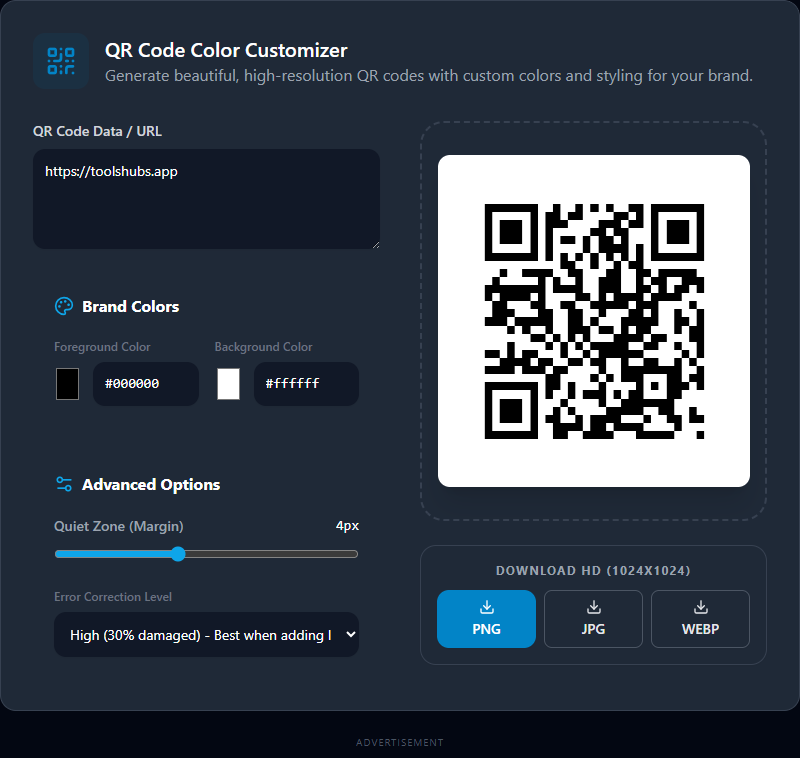
A standard black-and-white QR code gets the job done, but it looks incredibly sterile when pasted onto a beautifully designed business card, a colorful wedding invitation, or a vibrant restaurant menu.
Our free QR Code Color Customizer allows you to strip away the boring defaults and inject your brand's specific color palette directly into the matrix, completely changing the aesthetic of your digital links.
How to Customize a QR Code
We built this tool to function entirely within your browser, ensuring lightning-fast generation and perfect privacy for sensitive URLs.
1. Match Your Brand Colors
Use the intuitive color-picker squares or directly paste your exact Hex Codes (e.g., #FF5733) for both the Foreground (the dark squares) and the Background. The canvas instantly updates to show the live preview of your branded code.
2. Adjust Error Correction
When customizing QRs or placing logos in the center, "Error Correction" is your most powerful tool. It dictates how much data redundancy is baked into the image. If the code is physically scratched or obscured, a higher error correction setting ensures scanners can still read it.
- Low (L): Best for incredibly long URLs. It makes the pixel matrix look cleaner and less cluttered but is easily broken by damage.
- High (H): Best for print materials or if you plan to Photoshop a small logo into the middle of the code later.
3. Set the Margin (Quiet Zone)
Scanners require a blank border around the QR code (called the Quiet Zone) to distinguish it from the surrounding background art. Use our slider to ensure you have a mathematically perfect margin protecting your data.
Why Download in High Resolution?
Never settle for saving blurry, 200px previews. Whenever you click our Download buttons (available in PNG, JPEG, and lightweight WEBP), our engine internally renders a pristine 1024 x 1024 Pixel HD Graphic.
This guarantees that whether you are printing the QR code on a massive outdoor billboard or a tiny sticker, crisp vector-like edges are preserved for flawless, rapid scanning by your user's smartphone cameras.