
Tailwind to CSS Converter — Export Tailwind Classes as Raw CSS
When You Need Tailwind → CSS
Tailwind is fantastic for building UIs, but there are moments when you need the raw CSS:
- Debugging: Something looks wrong and you need to see exactly what CSS properties are being applied.
- Writing tests: CSS-in-JS testing libraries work with CSS properties, not class names.
- Documentation: Showing colleagues or clients the actual CSS output without requiring Tailwind knowledge.
- Email templates: Most email clients don't support Tailwind classes — you need inline CSS.
- Migrating away from Tailwind: Extracting the CSS values to move to a different styling approach.
- Understanding Tailwind: Learning what each class actually does under the hood.
What This Tool Does
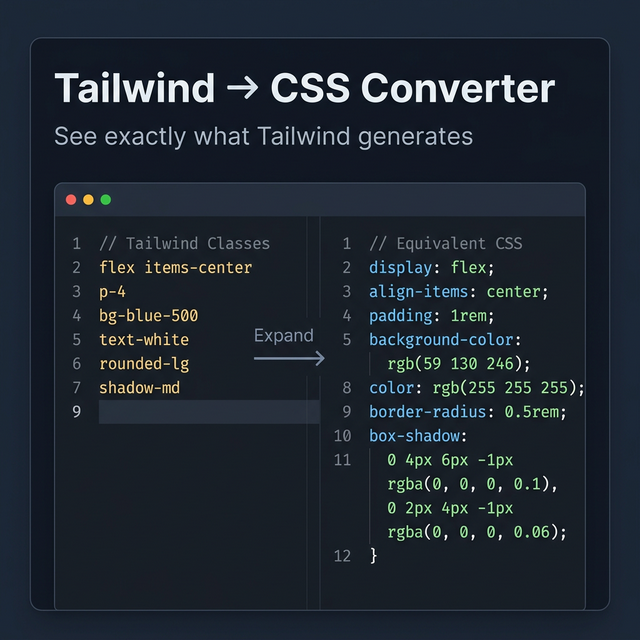
Paste a list of Tailwind utility classes and the tool outputs the equivalent CSS declarations:
Input:
flex items-center justify-between p-4 bg-blue-500 text-white rounded-lg shadow-md
Output:
display: flex;
align-items: center;
justify-content: space-between;
padding: 1rem;
background-color: rgb(59 130 246);
color: rgb(255 255 255);
border-radius: 0.5rem;
box-shadow: 0 4px 6px -1px rgb(0 0 0 / 0.1), 0 2px 4px -2px rgb(0 0 0 / 0.1);
Responsive and State Modifiers
Tailwind's real power comes from modifier prefixes. The converter also handles these:
Responsive:
md:text-lg lg:text-xl
→ Outputs as media query blocks:
@media (min-width: 768px) {
  font-size: 1.125rem;
  line-height: 1.75rem;
}
@media (min-width: 1024px) {
  font-size: 1.25rem;
  line-height: 1.75rem;
}
State modifiers:
hover:bg-blue-600 focus:ring-2 focus:ring-blue-500
→ Outputs as selector variants:
&:hover { background-color: rgb(37 99 235); }
&:focus { --tw-ring-shadow: ...; box-shadow: ...; }
The Tailwind CSS Variable System
Tailwind v3 and v4 use CSS custom properties internally for many values. For example, shadow-md actually generates:
--tw-shadow: 0 4px 6px -1px rgb(0 0 0 / 0.1), 0 2px 4px -2px rgb(0 0 0 / 0.1);
--tw-shadow-colored: 0 4px 6px -1px var(--tw-shadow-color), 0 2px 4px -2px var(--tw-shadow-color);
box-shadow: var(--tw-ring-offset-shadow, 0 0 #0000), var(--tw-ring-shadow, 0 0 #0000), var(--tw-shadow);
This tool shows you the simplified, human-readable CSS output, not the internal variable chain.
Email Template Use Case
Email clients (Gmail, Outlook, Apple Mail) don't execute stylesheets. Inline CSS is required for reliable styling. Convert your Tailwind classes to CSS and apply them as inline style attributes on each element before sending.
Related Tailwind Tools
- CSS to Tailwind Converter — The reverse operation
- Tailwind Gradient Generator — Build gradient classes and see CSS output
- Tailwind Colors — Browse Tailwind colors and their CSS hex values
- HTML Minifier — Minify HTML after converting Tailwind to inline CSS
Recommended schema: SoftwareApplication + FAQPage