
Text Line Counter: Real-Time Word, Line & Character Count
1. Introduction
When producing content for the web, precision matters. Whether you're crafting a meta description with a 160-character limit, writing a Twitter/X post, or submitting a word-limited academic paper, having a real-time count of your text's statistics is essential.
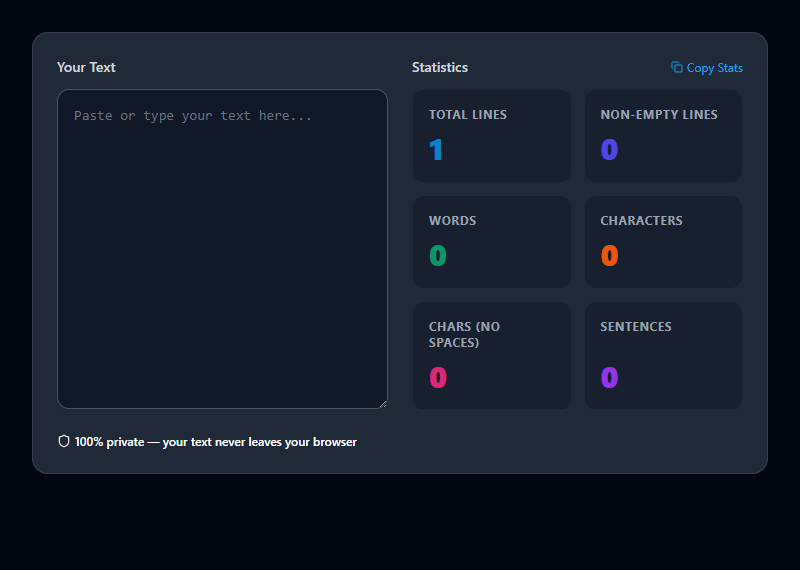
The ToolsHubs Text Line Counter goes far beyond a simple word count. It provides an instant, dynamic breakdown of your text as you type: total lines, non-empty lines, word count, character count (with and without spaces), sentence count, paragraph count, and the average number of words per sentence. This rich set of metrics gives you everything you need to fine-tune your writing for clarity, SEO, and readability.
2. Technical & Concept Breakdown
Every statistic is recalculated using a debounced real-time listener, ensuring the UI updates smoothly even with large documents.
- Lines: Split on
\nnewline characters. Every line, including empty ones, is counted. - Non-Empty Lines: Lines that contain at least one non-whitespace character.
- Words: Split on whitespace sequences after trimming. Handles multiple spaces and tabs gracefully.
- Characters: The raw
text.lengthproperty, including spaces and newlines. - Characters (No Spaces):
text.replace(/\s/g, '').length— useful for data with fixed char-count limits like SMS. - Sentences: Split on
.,!, or?followed by whitespace. - Paragraphs: Split on one or more blank lines (
\n\n). - Avg Words/Sentence: Total words divided by total sentences, rounded to the nearest whole number.
3. Real-World Use Cases
SEO Meta Description Writing: Google truncates meta descriptions at ~160 characters. Use the character counter to write the perfect snippet without trial and error.
Social Media Content: Twitter/X limits posts to 280 characters. LinkedIn posts perform best under 150 words. This tool gives you the data to optimize for each platform.
Academic Submissions: Research papers, essays, and grant applications often have strict word counts. Monitor your progress against the limit as you write.
Developer Documentation: When writing API docs or README files that will be displayed on platforms like GitHub, knowing line count helps ensure the file renders cleanly.
4. Best Practices & Tips
Paste First, Edit Second: Paste your full draft and check the baseline statistics. Then aim to reduce characters without losing clarity.
Use Avg Words/Sentence as a Readability Hint: Research suggests the ideal sentence length for web content is 15-20 words. If your average is above 25, consider breaking some sentences up.
Use Non-Empty Lines for Data Files: When counting rows in a CSV or list file, the "Non-Empty Lines" metric gives you the precise data row count.
5. Limitations & Common Mistakes
No Spell-Check: This is a counter, not an editor. It doesn't highlight grammar issues.
Sentence Detection is Approximate: The sentence counter splits on punctuation. Abbreviations (e.g., "U.S.A.") may be counted as multiple sentences.
Not a File Size Estimator: Character count is not directly equivalent to file size in bytes, especially for multi-byte UTF-8 characters like emoji or CJK text.