
YAML to JSON Converter — Convert YAML & JSON Instantly Online
YAML and JSON: Two Formats, One Purpose
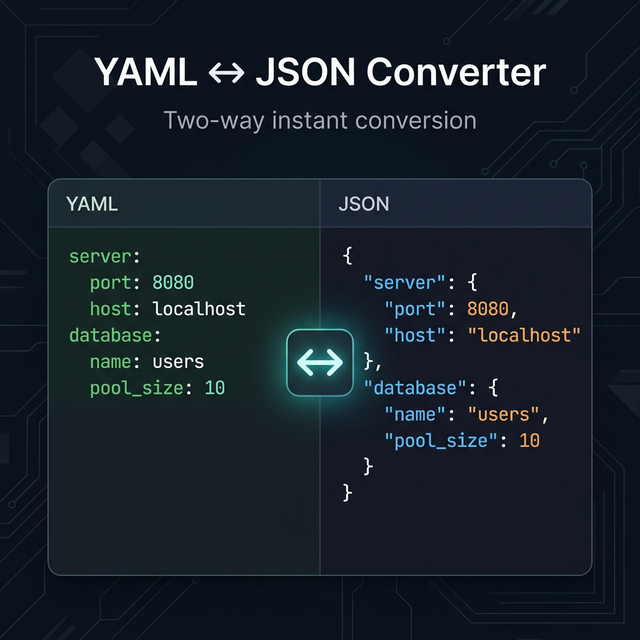
YAML (YAML Ain't Markup Language) and JSON (JavaScript Object Notation) are both data serialization formats — ways to represent structured data as text that both humans and machines can read.
They describe the same data, just differently:
The same config in JSON:
{
  "server": {
    "host": "localhost",
    "port": 8080,
    "debug": true
  }
}
The same config in YAML:
server:
  host: localhost
  port: 8080
  debug: true
YAML is more readable for humans (no quotes, no curly braces, indentation-based) but harder to parse reliably. JSON is machine-friendly, universally supported, and unambiguous. Both have their place — and you often need to move data between the two formats.
When You Need YAML → JSON
- APIs expect JSON but you're writing config in YAML (Kubernetes, Helm, GitHub Actions)
- Processing in JavaScript/Python works best with JSON (
JSON.parse()is native; YAML requires a library) - Debugging: Convert your YAML deployment config to JSON to validate in a JSON linter
- REST API construction: API bodies are always JSON, never YAML
When You Need JSON → YAML
- Infrastructure as code: Kubernetes manifests, Docker Compose, Ansible, and Terraform all prefer YAML
- CI/CD pipelines: GitHub Actions, GitLab CI, CircleCI — all YAML-based
- Readability: Config files become much more readable in YAML when they have deep nesting
- Documentation: Including example configs in docs reads better in YAML format
YAML Gotchas to Know Before Converting
Indentation is semantic. Unlike Python where indentation is just style convention, in YAML it defines the structure. Two spaces vs. four spaces vs. tabs will produce different results.
Data types are inferred. true, yes, on are all booleans in YAML (spec 1.1). This surprised many developers who wanted a string "yes". Quote your strings if in doubt.
Colons in strings break parsing. If a value contains a colon, the whole value must be quoted: title: "10:30 AM Update".
Multiline strings have two modes:
|(literal block): preserves newlines exactly>(folded block): folds newlines into spaces
YAML anchors (&) and aliases (*) allow referencing and reusing parts of the document — but JSON has no equivalent, so these are resolved/expanded during conversion.
Conversion Limitations
A few YAML features have no direct JSON equivalent:
- Comments (
# comment) — JSON has no comment support; they're dropped on conversion - Anchors & aliases — resolved to their literal values in the JSON output
- YAML tags (
!!python/object) — application-specific and dropped
JSON-to-YAML conversion is essentially lossless since JSON is a strict subset of YAML 1.2.
Related Tools
- JSON Validator & Formatter — Validate and format JSON after converting
- Diff Checker — Compare two YAML or JSON configs to find changes
- CSV to JSON Converter — Convert spreadsheet data to JSON
- Cron Expression Generator — Build YAML-friendly cron schedules for CI pipelines
Recommended schema: SoftwareApplication + FAQPage